You know what’s dying a slow death? The single testimonial carousel that rotates through one customer quote every five seconds.
Nobody waits for it to cycle through. Nobody clicks the little arrows. And nobody’s convinced by seeing just one person’s opinion out of context.
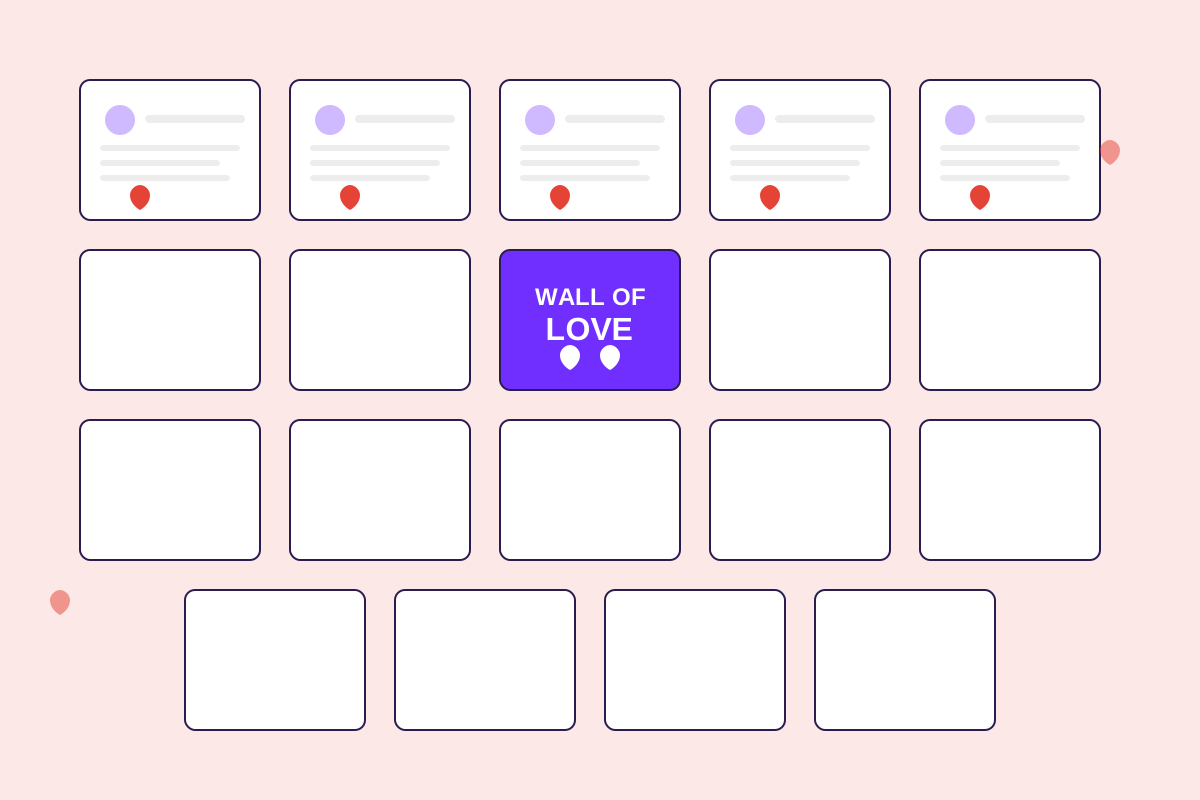
The “Wall of Love” approach flipped this completely. Instead of one testimonial at a time, you show 10-20+ testimonials simultaneously in a visually engaging grid. The psychological impact is immediate: “Wow, a lot of people love this.”
The trend started with indie makers on Product Hunt around 2020. Testimonial.to, Gumroad, and a bunch of creator economy products started featuring massive grids of customer love on their homepages. It looked fresh, it felt authentic, and most importantly, it converted better.
Now enterprise SaaS companies are adopting it too, and for good reason. Our data shows pages with testimonial walls convert 30-40% higher than pages with traditional carousels.
What makes it work
The fundamental insight is volume equals trust.
One testimonial says “we found one happy customer.” Twenty testimonials say “this is a pattern.”
But it’s not just about quantity. The visual design matters enormously. A well-designed testimonial wall is scannable—visitors’ eyes can quickly jump to testimonials that feel relevant to them. Company size, industry, role, use case. They find themselves in the crowd.
The best walls also mix formats. Some testimonials are 2-3 sentences. Others are a single punchy line. A few might be video testimonials with play buttons. The variety keeps it interesting and accommodates different reading preferences.
And here’s the thing about putting this many testimonials in one place: you’re not expecting anyone to read all of them. You’re creating social proof through volume while letting people self-select what’s relevant to them.
Where to put it
The dedicated testimonials page that lives in your footer navigation? That’s not where this goes.
Your testimonial wall needs to be on pages people actually visit. The three highest-impact placements:
Homepage, mid-page. After your hero and value props but before deep feature explanations. This is where you build trust before asking for action. We put ours right after the “How it works” section and saw a 34% lift in trial signups.
Pricing page, bottom third. After prospects see the prices and before they leave to “think about it,” hit them with social proof. Testimonials here specifically work on overcoming price objections. We saw a 25% increase in conversions after adding a wall here.
Product pages for specific features. If you have dedicated pages for major features, testimonials specific to that feature dramatically increase credibility. Instead of generic “love this product” testimonials, you’re showing “this specific thing solved my specific problem.”
The worst place to put your wall? A dedicated “/testimonials” page that gets 0.1% of your traffic. If you must have that page, fine. But duplicate the best testimonials onto high-traffic pages too.
The layout that converts
I’ve tested grids, masonry layouts, horizontal scrolling carousels, and everything in between. Here’s what actually works:
The classic grid (3-4 columns on desktop, 1-2 on mobile) is the safest choice for B2B companies. It looks professional, clean, and gives equal visual weight to each testimonial. Every testimonial gets the same sized card with consistent formatting.
The downside? If your testimonials vary in length, you get awkward white space. But honestly, that’s a small price to pay for the clean look.
Masonry layouts (Pinterest-style) solve the white space problem. Cards can be different heights based on content length. This creates visual interest and feels more dynamic.
The downside? It looks less formal, which might not work if you’re selling to enterprises. But for mid-market SaaS or anything in the creator/prosumer space, masonry feels fresh.
Horizontal scrolling (auto-scroll marquee) works great on mobile and creates a sense of abundance. You can showcase 30+ testimonials without taking up massive vertical space. We use this on our mobile site and saw engagement increase compared to a grid.
The downside? Some people find auto-scrolling annoying. Always include hover-to-pause functionality.
The layout I’d avoid? Single-testimonial carousels with arrows. They hide your social proof and force interaction. Just show everything at once.
What goes on each card
This is where most people mess up. They overthink it.
Each testimonial card needs exactly six elements:
The testimonial text itself (1-3 sentences is ideal, truncate longer ones with “read more”).
Customer photo (professional headshot, not stock photos).
Full name and complete job title.
Company name and logo if you have permission.
A verification badge if the testimonial is verified via LinkedIn.
Optionally, a LinkedIn icon linking to their profile.
That’s it. Don’t add star ratings (that’s for consumer products). Don’t add timestamps unless it’s recent and impressive. Don’t add category tags. Keep it clean.
The visual hierarchy should be: testimonial text is most prominent, then the person’s name, then their title and company. The logo should be subtle—you want it recognizable but not dominating the card.
The code (keep it simple)
You don’t need a fancy plugin or third-party widget. A basic CSS grid gets you 90% of the way there:
.testimonial-grid {
  display: grid;
  grid-template-columns: repeat(auto-fit, minmax(320px, 1fr));
  gap: 24px;
  max-width: 1200px;
  margin: 0 auto;
}

.testimonial-card {
  background: white;
  border-radius: 12px;
  padding: 24px;
  box-shadow: 0 2px 8px rgba(0,0,0,0.08);
}
That auto-fit and minmax combo automatically handles responsiveness. On desktop, you get 3-4 columns. On tablet, 2 columns. On mobile, 1 column. No media queries needed.
For the masonry layout, use grid-auto-rows with dense packing:
.testimonial-grid {
  display: grid;
  grid-template-columns: repeat(auto-fit, minmax(320px, 1fr));
  grid-auto-rows: 20px;
  gap: 24px;
}

.testimonial-card {
  grid-row-end: span var(--row-span);
}
You’ll need JavaScript to calculate the row span based on content height, but it’s straightforward.
For auto-scrolling, a CSS animation plus duplicated content for seamless looping:
.testimonial-marquee {
  overflow: hidden;
}

.marquee-content {
  display: flex;
  animation: scroll 30s linear infinite;
}

@keyframes scroll {
  from { transform: translateX(0); }
  to { transform: translateX(-50%); }
}

.testimonial-marquee:hover .marquee-content {
  animation-play-state: paused;
}
Duplicate your testimonials in the HTML so when the animation reaches 50%, it seamlessly loops back.
The details that matter
Images: Use WebP format, lazy load anything below the fold, and set explicit width/height to prevent layout shift. A 48px × 48px headshot is plenty.
Truncation: If a testimonial is longer than 150 characters, truncate it with ”… read more” that expands in a modal or inline. Don’t force people to read paragraphs in a grid.
Accessibility: Each card should have role="article" and aria-label="Customer testimonial from [name]". Links need visible focus indicators. Images need alt text describing the person.
Loading performance: Don’t load 50 testimonials at once. Start with 9-12 and add a “Load more” button if needed. Or use infinite scroll but test whether people actually scroll that far.
What not to do
Don’t show 50+ testimonials at once. It’s overwhelming. Show 9-15 with load more if you have tons.
Don’t use stock photos. Prospects can tell. Use real customer photos or no photos at all.
Don’t make all testimonials the same length. It looks artificial. Real testimonials vary.
Don’t forget mobile. 60% of traffic is mobile. Test on actual devices, not just browser resize.
Don’t create the wall and forget about it. Update it quarterly. Rotate in new testimonials. Remove testimonials from people who’ve left their companies.
Two specific improvements that moved the needle for us
We launched our wall with all testimonials being the same visual weight. It looked clean but didn’t direct attention anywhere.
Then we added a “featured” section. The top section shows 1-2 larger testimonial cards (video testimonials work great here). Below that, the grid of standard testimonials. This gave us a place to feature our best social proof prominently while still showing volume.
Conversion lift: +12% over the standard grid alone.
Second change: dynamic testimonial matching. Using Clearbit or similar, we detect the visitor’s company size and industry, then sort testimonials to show the most relevant ones first.
Enterprise visitors see enterprise customer testimonials first. Startups see startup testimonials. Healthcare sees healthcare.
This required backend logic and wasn’t trivial to implement, but the impact was measurable: +18% conversion lift over random order.
Just start with nine
If you’re thinking “this sounds great but complicated,” let me simplify it:
Start with nine testimonials. Three rows, three columns. Hard-coded HTML and CSS grid. No fancy animations. No dynamic matching. Just nine solid testimonials with complete attribution, photos, and company logos.
That version will convert better than whatever carousel you have now.
Then iterate. Add more testimonials. Test masonry vs. grid. Try featured sections. Experiment with placement.
But ship the simple version this week. Don’t let “building the perfect wall” prevent you from shipping something that works.
Want a testimonial wall that updates automatically? See how HelloTrust provides embeddable testimonial walls that sync with verified customer endorsements—no manual updates, always fresh social proof.